
Hello Mini
Inspired by 1984.
Built for today.
- Applications
- 22 little distractions
- Appearances
- 6 ways to time travel
- Available memory
- More than seems polite
UsefulRidiculous
Hello Mini
FOR THE MAC ON YOUR DESK
A little desktop.
A lot of possibility.
Your modern Mac has a tiny, deeply unserious Macintosh living inside it.
Meet your new old MacApple silicon · macOS 26+ · Free & open source
Hello Mini
Inspired by 1984.
Built for today.
A DESKTOP WITH QUESTIONABLE PRIORITIES
Watch your machine work. Keep a thought. Feed a fish.
There is, technically, a productivity angle.

Activity Monitor keeps an eye on CPU, memory, and processes. Print Monitor turns GitHub and GitLab builds into imaginary print jobs, with build history and artifact downloads.
A failed build is a paper jam. Obviously.

Draw in MiniPaint and keep notes, pictures, links, and commands in Scrapbook. Check a time zone, convert a unit, inspect a file, test a network connection, or work out where all that disk space went.
Desk accessories, with rather fewer limitations.

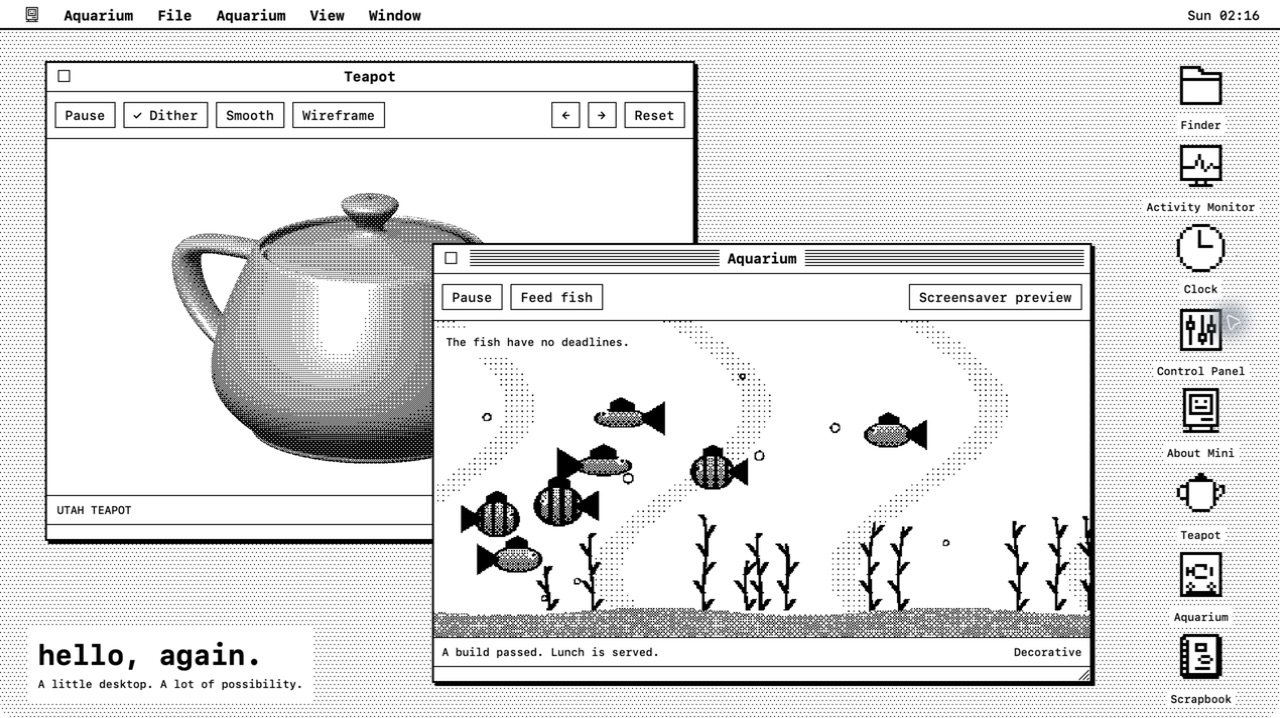
A spinning Metal teapot. A fish tank. Flying Toasters. A puzzle made from the live desktop. Modern graphics, dressed for a different decade.
Optional silliness. Impeccably poor priorities.
PICK YOUR PARTICULAR NOSTALGIA
From monochrome to pinstripes and blue gel. The applications stay the same; the decade is up to you.
Feeling purist? Fit the whole desktop into 512 × 384. Even the teapot.

HELLO MINI FOR MAC
Free, open source, and yours to tinker with.
Check release availabilitymacOS 26 or later · Apple silicon
Homebrew: brew install --cask emmettl/tap/hellomini
Release builds are signed and notarized by Apple.
Prefer to build it yourself? The source is on GitHub.

